Score table <ScoreTable />
2–4 options side by side against 3–5 criteria, each cell a short coloured tag in one of four tones: good, mid, bad or plain. Designed for the stencil style; other styles work too. With build: 'reveal' the rows appear one by one.
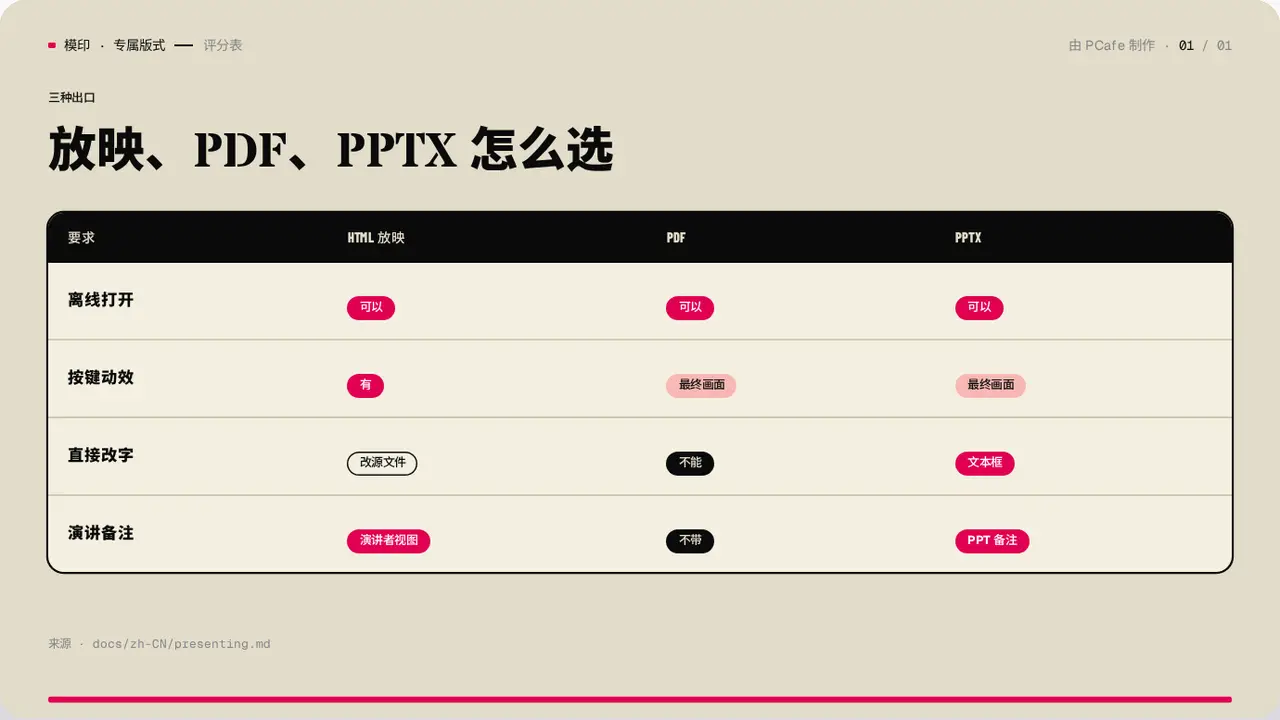
- Group
- Comparison · a black header row, a coloured tag in every cell
- Component
ScoreTable·#score-table- Interaction
- Press → rows appear one by one
Good for
- Score a few options against the same criteria
- The verdict fits in two or three characters
Avoid when
- A full sentence is needed in each cell: use CompareTable
- Only two things are compared: use Contrast
Content limits
| 1 | columns 2–4, each ≤ 10 chars |
| 2 | rows 3–5, label ≤ 8 chars |
| 3 | text ≤ 8 characters per cell |
| 4 | slide title ≤ 22 chars |
Fields
| Field | Type | |
|---|---|---|
kicker · required | string | Section label |
title · required | string | string[] | Title |
lead | string | Lead |
columns · required | string[] | Options |
rows · required | { label, cells: { text, tone? }[] }[] | Criteria and scores |
corner | string | Header in the top-left corner |
source | string | Source |
Example
<ScoreTable
  kicker="三种出口"
  title="放映、PDF、PPTX 怎么选"
  columns={['HTML 放映', 'PDF', 'PPTX']}
  rows={[{ label: '离线打开', cells: [{ text: '可以', tone: 'good' }, …] }]}
/>