Step through video <StepVideo />
A video on the left, 2–4 stop notes on the right. With build: 'reveal', each press plays up to the next stop and pauses there, and the matching note appears. Going back or jumping to the slide shows the stop frame directly; when jumping to the slide, printing or with reduced motion it stops at the last stop.
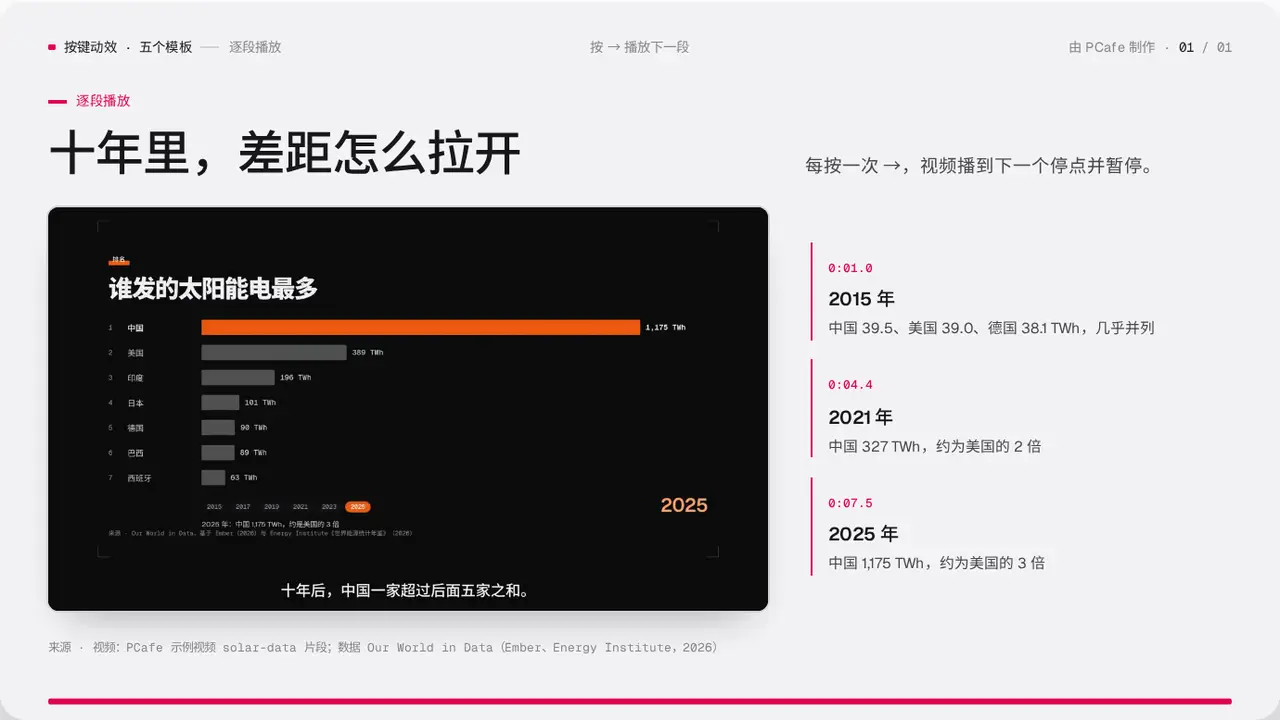
- Group
- Motion · each press plays one segment and stops on the frame to talk about
- Component
StepVideo·#step-video- Interaction
- Press → play to the next stop
Good for
- A screen recording or an animated chart you want to talk over while it plays
- A change with 2–4 moments worth stopping at
Avoid when
- The video is long or large: it is inlined into a single HTML file
- You need sound: the video is always muted
Content limits
| 1 | stops 2–4, at increases in seconds |
| 2 | title ≤ 8 chars |
| 3 | body ≤ 30 chars |
| 4 | slide title ≤ 22 chars |
| 5 | lead ≤ 40 chars |
| 6 | video ideally ≤ 15 s and ≤ 1 MB (trim and compress with ffmpeg first) |
Fields
| Field | Type | |
|---|---|---|
kicker · required | string | Section label |
title · required | string | string[] | Title |
lead | string | Lead |
src · required | string | Video file (import) |
label · required | string | Description of the video content |
start | number | Seconds shown before the first press, default 0 |
stops · required | { at, title, body }[] | Stops |
source | string | Source |
Example
<StepVideo
  kicker="逐段播放"
  title="十年里,差距怎么拉开"
  src={race}
  label="各国太阳能发电量排名动画"
  stops={[{ at: 1, title: '2015 年', body: '…' }, { at: 4.4, title: '2021 年', body: '…' }]}
/>